> ## Documentation Index
> Fetch the complete documentation index at: https://upstash-fix-issues-on-docs.mintlify.site/llms.txt
> Use this file to discover all available pages before exploring further.
# Dead Letter Queues
DLQs are only available in v2
At times, your API may fail to process a request. This could be due to a bug in your code, a temporary issue with a third-party service, or even network issues.
QStash automatically retries messages that fail due to a temporary issue but eventually stops and moves the message to a dead letter queue to be handled manually.
Read more about retries [here](/qstash/features/retry).
## How to Use the Dead Letter Queue
You can manually republish messages from the dead letter queue in the console. API access will be added soon.
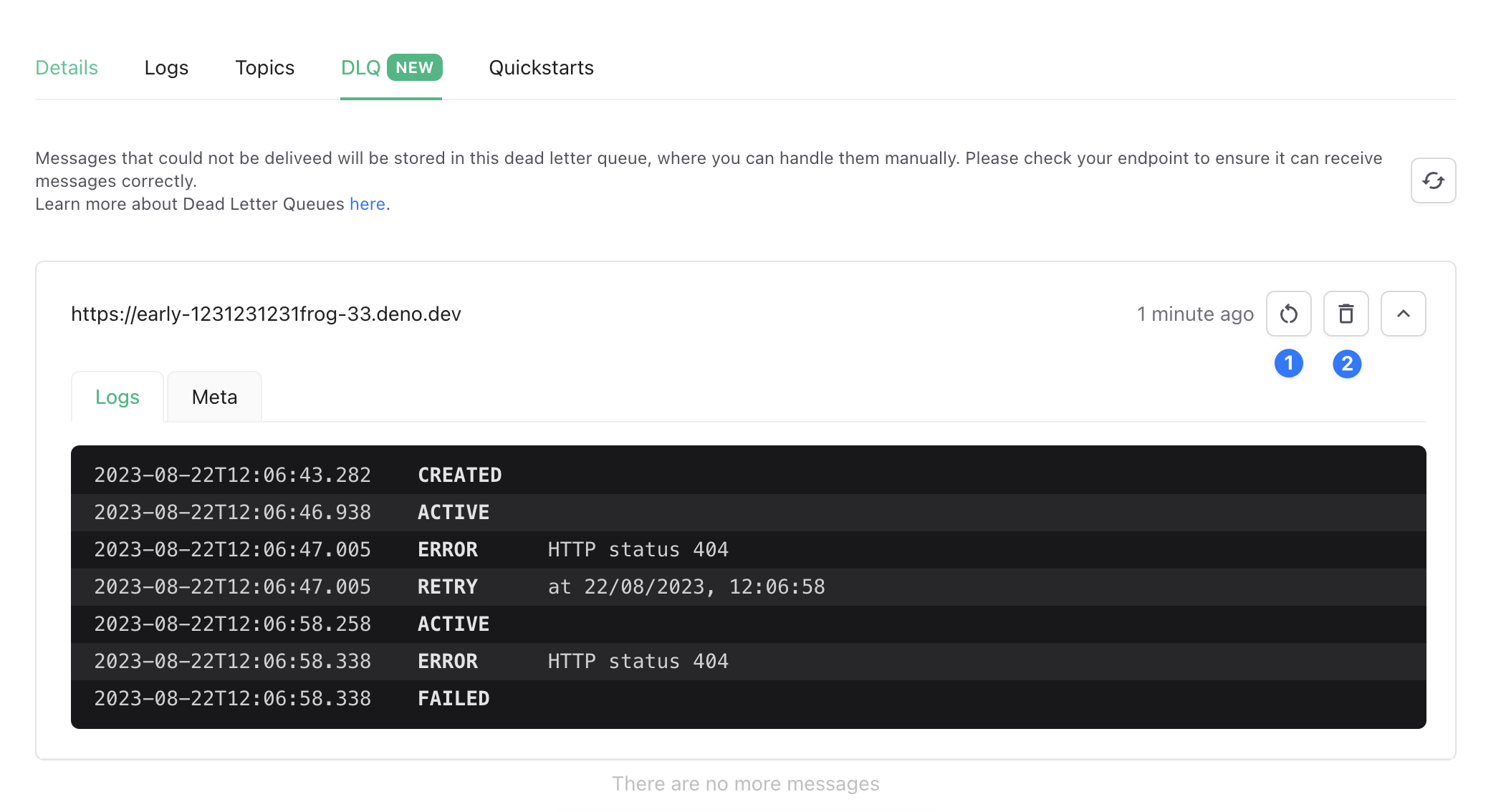 1. **Redrive** - Republish the message and remove it from the dead letter queue. Republished messages are just like any other message and will be retried automatically if they fail.
2. **Delete** - Delete the message from the dead letter queue.
## Limitations
Dead letter queues are limited to a certain number of messages. If you exceed this limit, the oldest messages will be dropped.
Unhandled messages are evicted after some time.
See the [pricing](https://upstash.com/pricing/qstash) page for more information.
1. **Redrive** - Republish the message and remove it from the dead letter queue. Republished messages are just like any other message and will be retried automatically if they fail.
2. **Delete** - Delete the message from the dead letter queue.
## Limitations
Dead letter queues are limited to a certain number of messages. If you exceed this limit, the oldest messages will be dropped.
Unhandled messages are evicted after some time.
See the [pricing](https://upstash.com/pricing/qstash) page for more information.