> ## Documentation Index
> Fetch the complete documentation index at: https://upstash-fix-issues-on-docs.mintlify.site/llms.txt
> Use this file to discover all available pages before exploring further.
# Next.js
In this tutorial, we'll create a Next.js app that calls a long-running
background job using QStash.
## Prerequisites
* Create an Upstash account and get your [QStash token](https://console.upstash.com/qstash)
* Node.js installed
```bash
npx create-next-app@latest --ts --eslint --tailwind --src-dir --app --import-alias='@/*' qstash-bg-job
```
```bash
cd qstash-bg-job
```
```bash
npm install @upstash/qstash
```
```bash
npm run dev
```
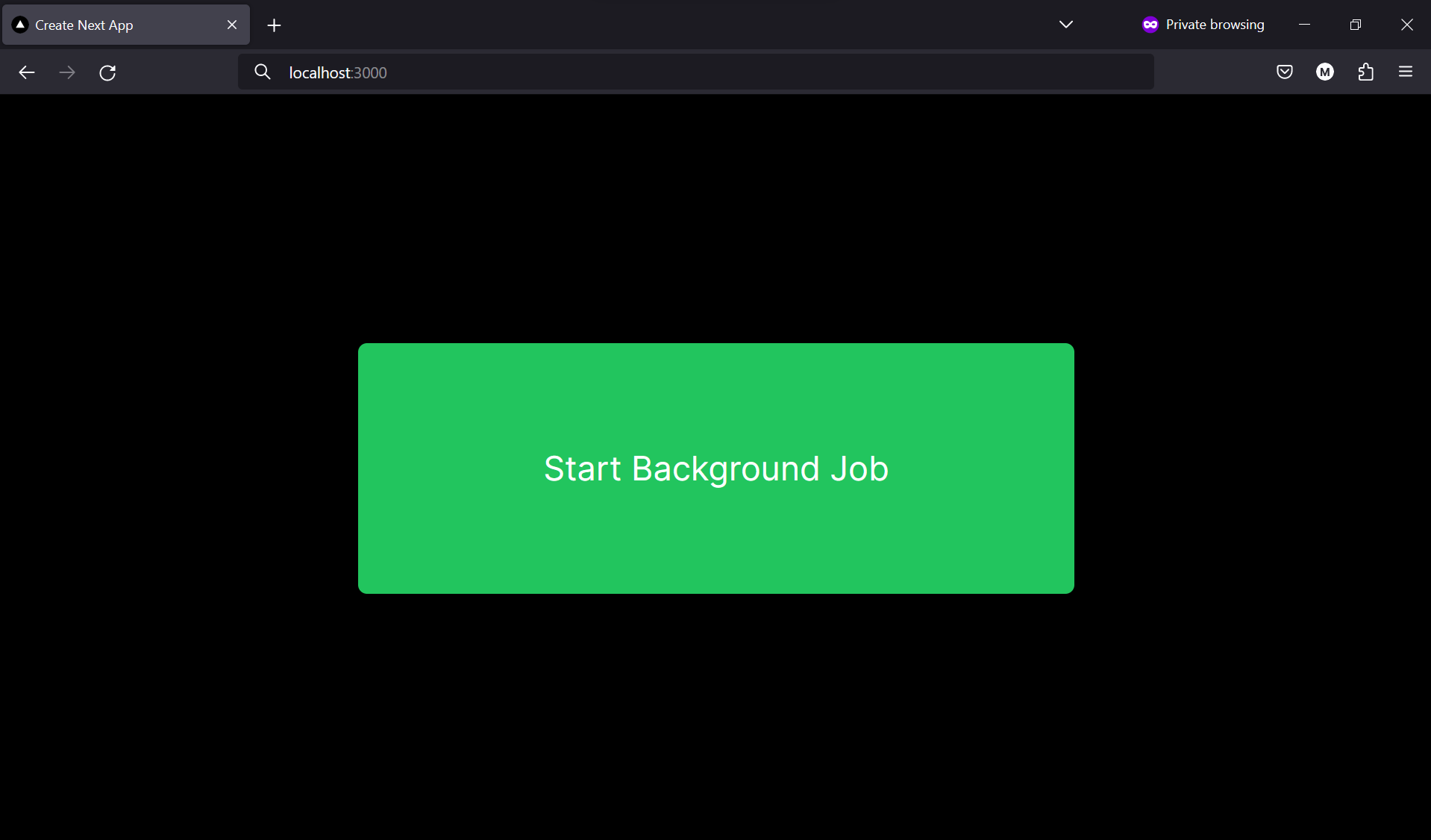
After removing the default content in `src/app/page.tsx`, let's create a simple UI to trigger the background job
using a button.
```tsx src/app/page.tsx
"use client"
export default function Home() {
return (
);
}
```
We can use QStash to start a background job by calling the `publishJSON` method.
In this example, we're using Next.js server actions, but you can also use route handlers.
Since we don't have our public API endpoint yet, we can use [Request Catcher](https://requestcatcher.com/) to test the background job.
This will eventually be replaced with our own API endpoint.
```ts src/app/actions.ts
"use server"
import { Client } from "@upstash/qstash";
const qstashClient = new Client({
// Add your token to a .env file
token: process.env.QSTASH_TOKEN!,
});
export async function startBackgroundJob() {
await qstashClient.publishJSON({
"url": "https://firstqstashmessage.requestcatcher.com/test",
body: {
"hello": "world"
}
});
}
```
Now let's invoke the `startBackgroundJob` function when the button is clicked.
```tsx src/app/page.tsx
"use client"
import { startBackgroundJob } from "@/app/actions";
export default function Home() {
async function handleClick() {
await startBackgroundJob();
}
return (
);
}
```
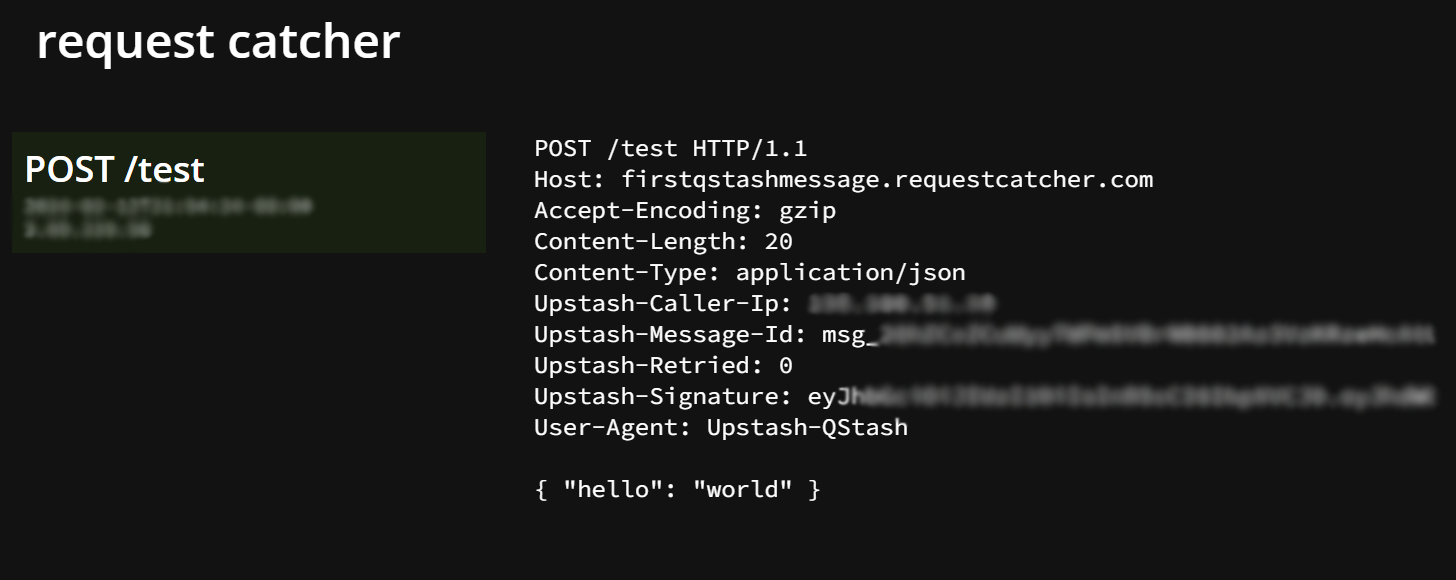
To test the background job, click the button and check the Request Catcher for the incoming request.
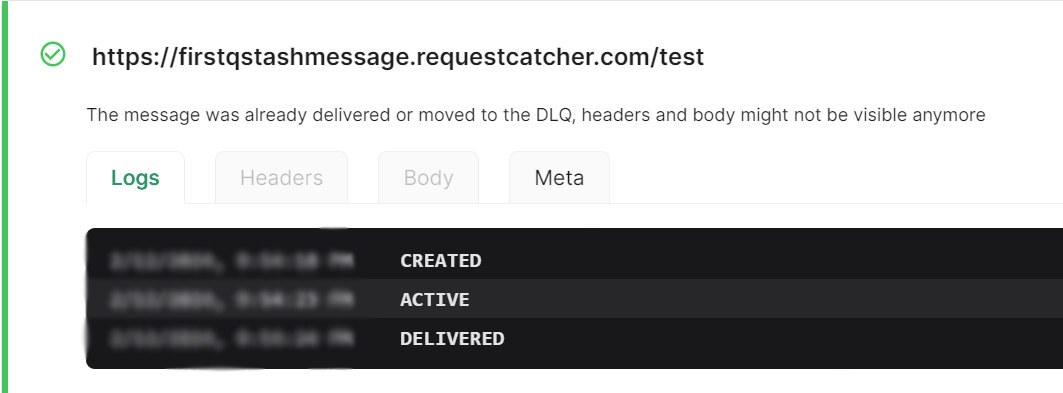
You can also head over to [Upstash Console](https://console.upstash.com/qstash) and go to the
`Logs` tab where you can see your message activities.
Now that we know QStash is working, let's create our own endpoint to handle a background job. This
is the endpoint that will be invoked by QStash.
This job will be responsible for sending 10 requests, each with a 500ms delay. Since we're deploying
to Vercel, we have to be cautious of the [time limit for serverless functions](https://vercel.com/docs/functions/runtimes#max-duration).
```ts src/app/api/long-task/route.ts
export async function POST(request: Request) {
const data = await request.json()
for (let i = 0; i < 10; i++) {
await fetch('https://firstqstashmessage.requestcatcher.com/test', {
method: 'POST',
body: JSON.stringify(data),
headers: { 'Content-Type': 'application/json' }
})
await new Promise(resolve => setTimeout(resolve, 500))
}
return Response.json({ success: true })
}
```
Now let's update our `startBackgroundJob` function to use our new endpoint.
There's 1 problem: our endpoint is not public. We need to make it public so that QStash can call it.
We have 2 options:
1. Deploy our application to a platform like Vercel and use the public URL.
2. Create a [local tunnel](/qstash/howto/local-tunnel) to test the endpoint locally.
For the purpose, of this tutorial, I'll deploy the application to Vercel, but
feel free to use a local tunnel if you prefer.
There are many ways to [deploy to Vercel](https://vercel.com/docs/deployments/overview), but
I'm going to use the Vercel CLI.
```bash
npm install -g vercel
```
```bash
vercel
```
Once deployed, you can find the public URL in the Vercel dashboard.
Now that we have a public URL, we can update the URL.
```ts src/app/actions.ts
"use server"
import { Client } from "@upstash/qstash";
const qstashClient = new Client({
token: process.env.QSTASH_TOKEN!,
});
export async function startBackgroundJob() {
await qstashClient.publishJSON({
// Replace with your public URL
"url": "https://qstash-bg-job.vercel.app/api/long-task",
body: {
"hello": "world"
}
})
}
```
And voila! You've created a Next.js app that calls a long-running background job using QStash.
QStash is a great way to handle background jobs, but it's important to remember that it's a public
API. This means that anyone can call your endpoint. Make sure to add security measures to your endpoint
to ensure that QStash is the sender of the request.
Luckily, our SDK provides a way to verify the sender of the request. Make sure to get your signing keys
from the QStash console and add them to your environment variables. The `verifySignatureAppRouter` will try to
load `QSTASH_CURRENT_SIGNING_KEY` and `QSTASH_NEXT_SIGNING_KEY` from the environment. If one of them is missing,
an error is thrown.
```ts src/app/api/long-task/route.ts
import { verifySignatureAppRouter } from "@upstash/qstash/dist/nextjs";
async function handler(request: Request) {
const data = await request.json();
for (let i = 0; i < 10; i++) {
await fetch('https://firstqstashmessage.requestcatcher.com/test', {
method: 'POST',
body: JSON.stringify(data),
headers: { 'Content-Type': 'application/json' }
});
await new Promise(resolve => setTimeout(resolve, 500));
}
return Response.json({ success: true });
}
export const POST = verifySignatureAppRouter(handler);
```
Let's also add error catching to our action and a loading state to our UI.
```ts src/app/actions.ts
"use server"
import { Client } from "@upstash/qstash";
const qstashClient = new Client({
token: process.env.QSTASH_TOKEN!,
});
export async function startBackgroundJob() {
try {
const response = await qstashClient.publishJSON({
"url": "https://qstash-bg-job.vercel.app/api/long-task",
body: {
"hello": "world"
}
});
return response.messageId;
} catch (error) {
console.error(error);
return null;
}
}
```
```tsx src/app/page.tsx
"use client"
import { startBackgroundJob } from "@/app/actions";
import { useState } from "react";
export default function Home() {
const [loading, setLoading] = useState(false);
const [msg, setMsg] = useState("");
async function handleClick() {
setLoading(true);
const messageId = await startBackgroundJob();
if (messageId) {
setMsg(`Started job with ID ${messageId}`);
} else {
setMsg("Failed to start background job");
}
setLoading(false);
}
return (
{loading &&
Loading...
}
{msg &&
{msg}
}
);
}
```
## Result
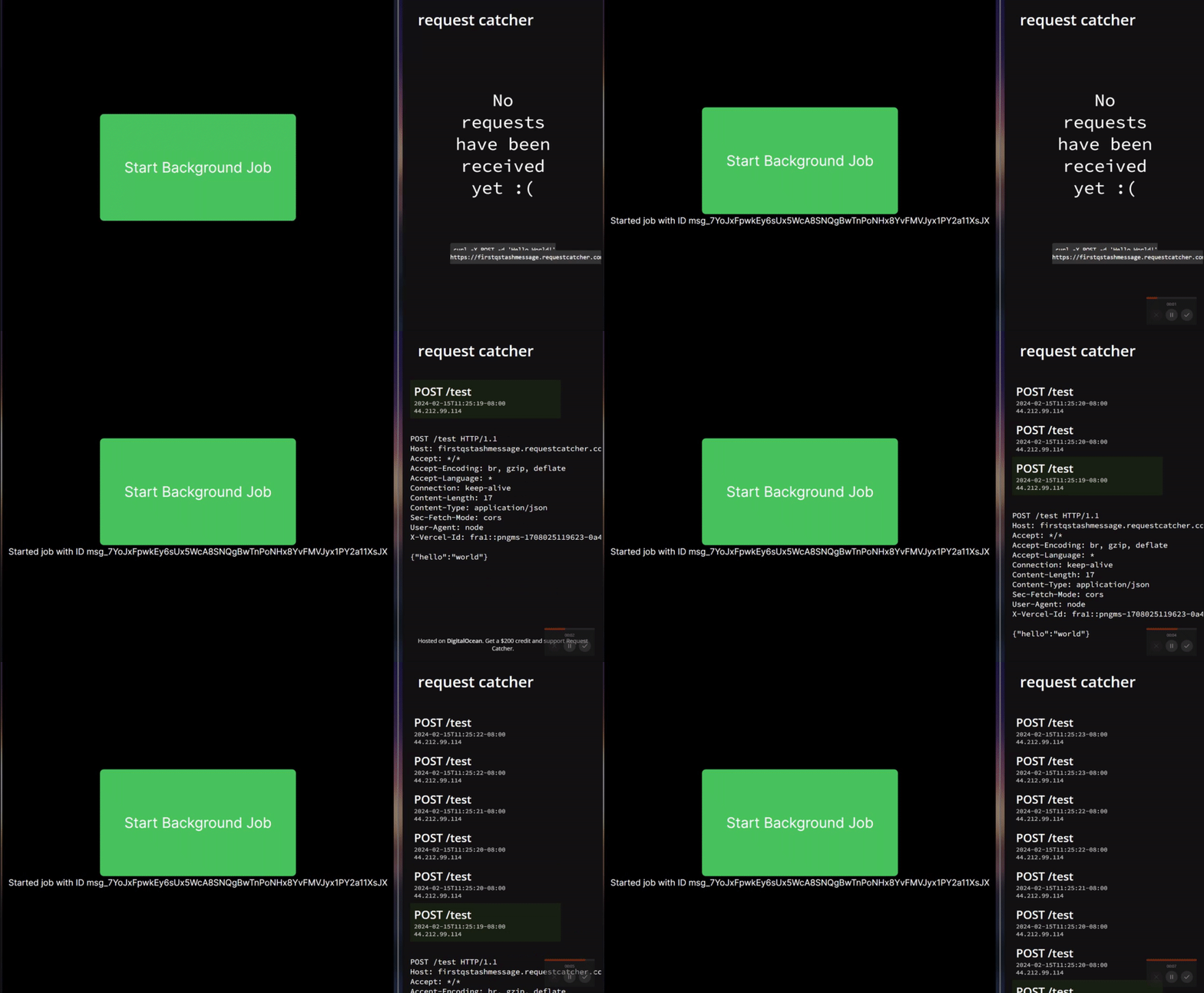
We have now created a Next.js app that calls a long-running background job using QStash!
Here's the app in action:
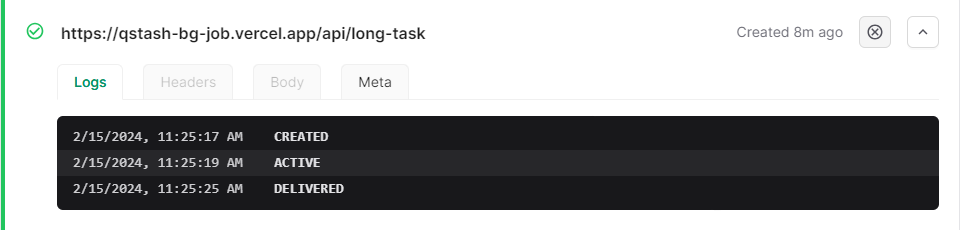
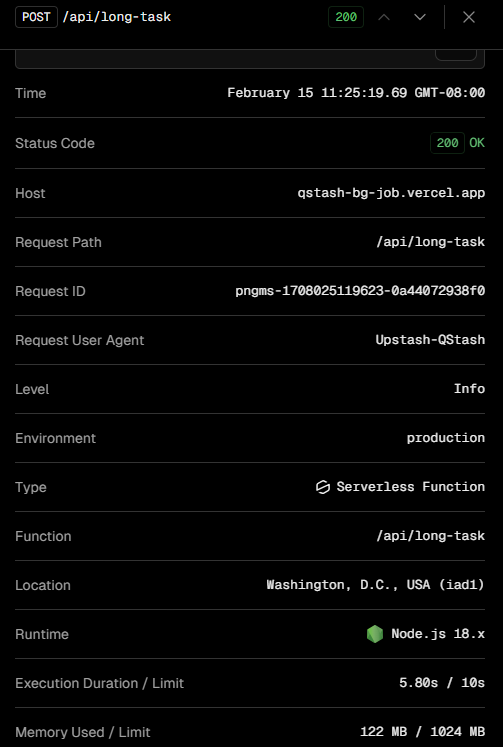
We can also view the logs on Vercel and QStash
Vercel
QStash
And the code for the 3 files we created:
```tsx src/app/page.tsx
"use client"
import { startBackgroundJob } from "@/app/actions";
import { useState } from "react";
export default function Home() {
const [loading, setLoading] = useState(false);
const [msg, setMsg] = useState("");
async function handleClick() {
setLoading(true);
const messageId = await startBackgroundJob();
if (messageId) {
setMsg(`Started job with ID ${messageId}`);
} else {
setMsg("Failed to start background job");
}
setLoading(false);
}
return (
{loading &&
Loading...
}
{msg &&
{msg}
}
);
}
```
```ts src/app/actions.ts
"use server"
import { Client } from "@upstash/qstash";
const qstashClient = new Client({
token: process.env.QSTASH_TOKEN!,
});
export async function startBackgroundJob() {
try {
const response = await qstashClient.publishJSON({
"url": "https://qstash-bg-job.vercel.app/api/long-task",
body: {
"hello": "world"
}
});
return response.messageId;
} catch (error) {
console.error(error);
return null;
}
}
```
```ts src/app/api/long-task/route.ts
import { verifySignatureAppRouter } from "@upstash/qstash/dist/nextjs";
async function handler(request: Request) {
const data = await request.json();
for (let i = 0; i < 10; i++) {
await fetch('https://firstqstashmessage.requestcatcher.com/test', {
method: 'POST',
body: JSON.stringify(data),
headers: { 'Content-Type': 'application/json' }
});
await new Promise(resolve => setTimeout(resolve, 500));
}
return Response.json({ success: true });
}
export const POST = verifySignatureAppRouter(handler);
```
Now, go ahead and try it out for yourself! Try using some of the other features of QStash, like
[schedules](/qstash/features/schedules), [callbacks](/qstash/features/callbacks), and [topics](/qstash/features/topics).
 You can also head over to [Upstash Console](https://console.upstash.com/qstash) and go to the
`Logs` tab where you can see your message activities.
You can also head over to [Upstash Console](https://console.upstash.com/qstash) and go to the
`Logs` tab where you can see your message activities.
 We can also view the logs on Vercel and QStash
 QStash