Documentation Index
Fetch the complete documentation index at: https://upstash-fix-issues-on-docs.mintlify.app/llms.txt
Use this file to discover all available pages before exploring further.
PrerequisiteYou need an account before creating a database, create one
here.
Create a Database
Once you logged in, you can create a database by clicking on the plus sign at
the top right corner.
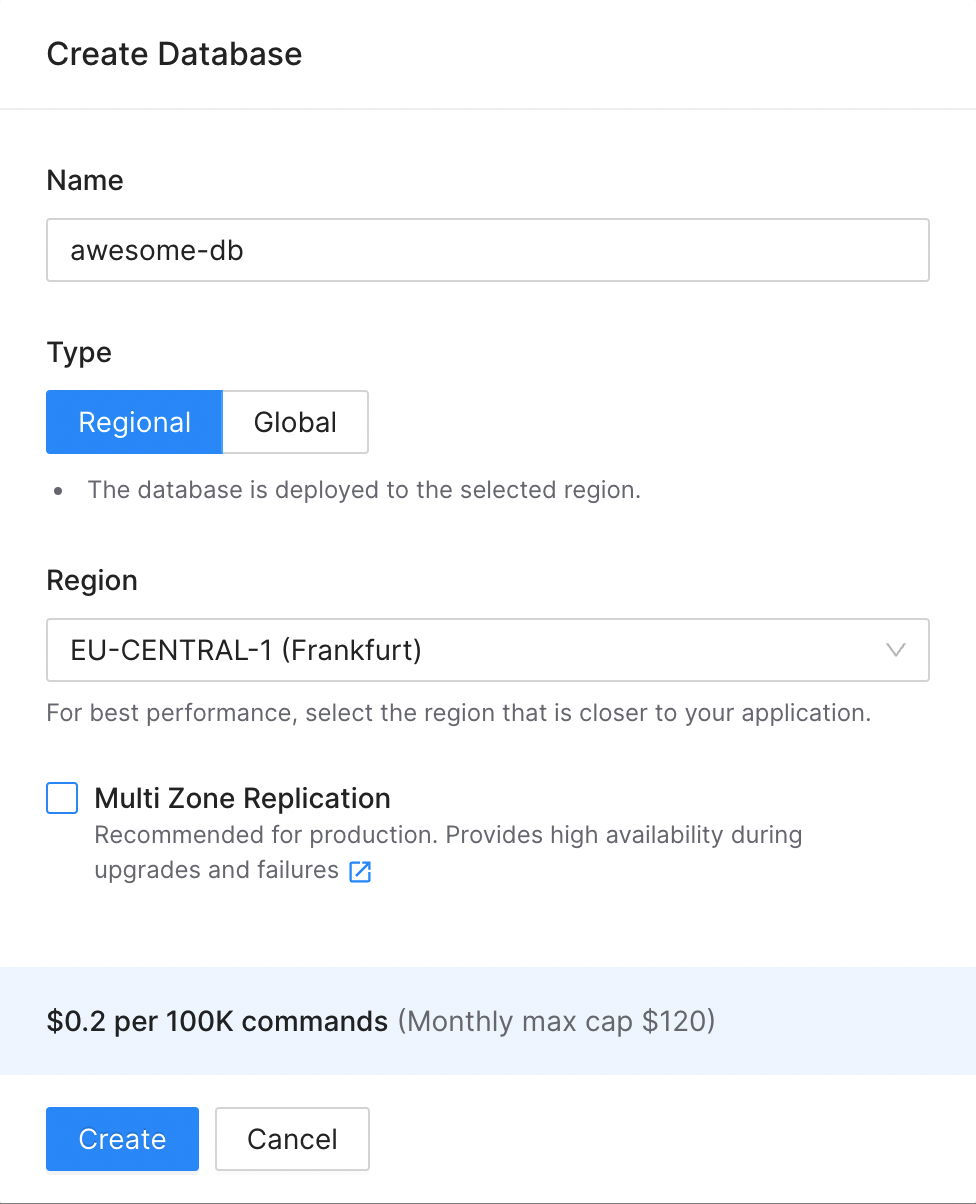
Database Name: Type a name for your database.
Region: Choose the region for your database. For optimal performance, select the region closest to your applications. We have plans to expand support to additional regions and cloud providers. Feel free to send your requests to feedback@upstash.com to help us prioritize.
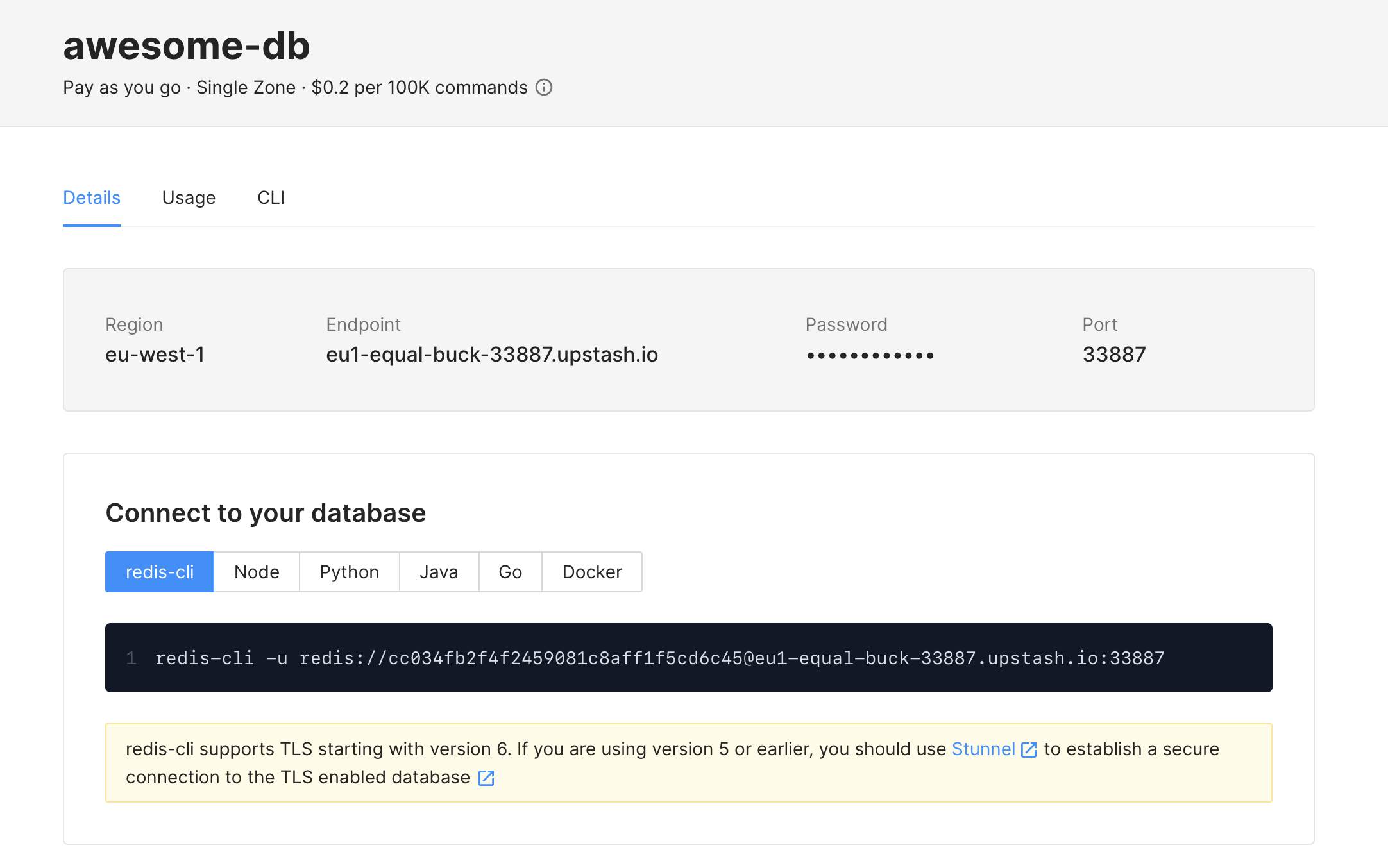
Once you click on Create button, you should see your cluster up and running as
below:
Connect to Your Database
You can connect to your database with any Redis client. For simplicity, we will
use redis-cli tool in this guide but please refer to
Connect Your Client section for more about connecting
via Redis clients.
redis-cli comes packaged with the official Redis distribution. If you do not
have Redis installed, you can get it as described at
Redis Quick Start
document. Now, you can connect to and run commands on your database as below:
> redis-cli -a PASSWORD -h ENDPOINT -p PORT
Warning: Using a password with '-a' or '-u' option on the command line interface may not be safe.
ENDPOINT:PORT> set counter 0
OK
ENDPOINT:PORT> get counter
"0"
ENDPOINT:PORT> incr counter
(int) 1
ENDPOINT:PORT> incr counter
(int) 2
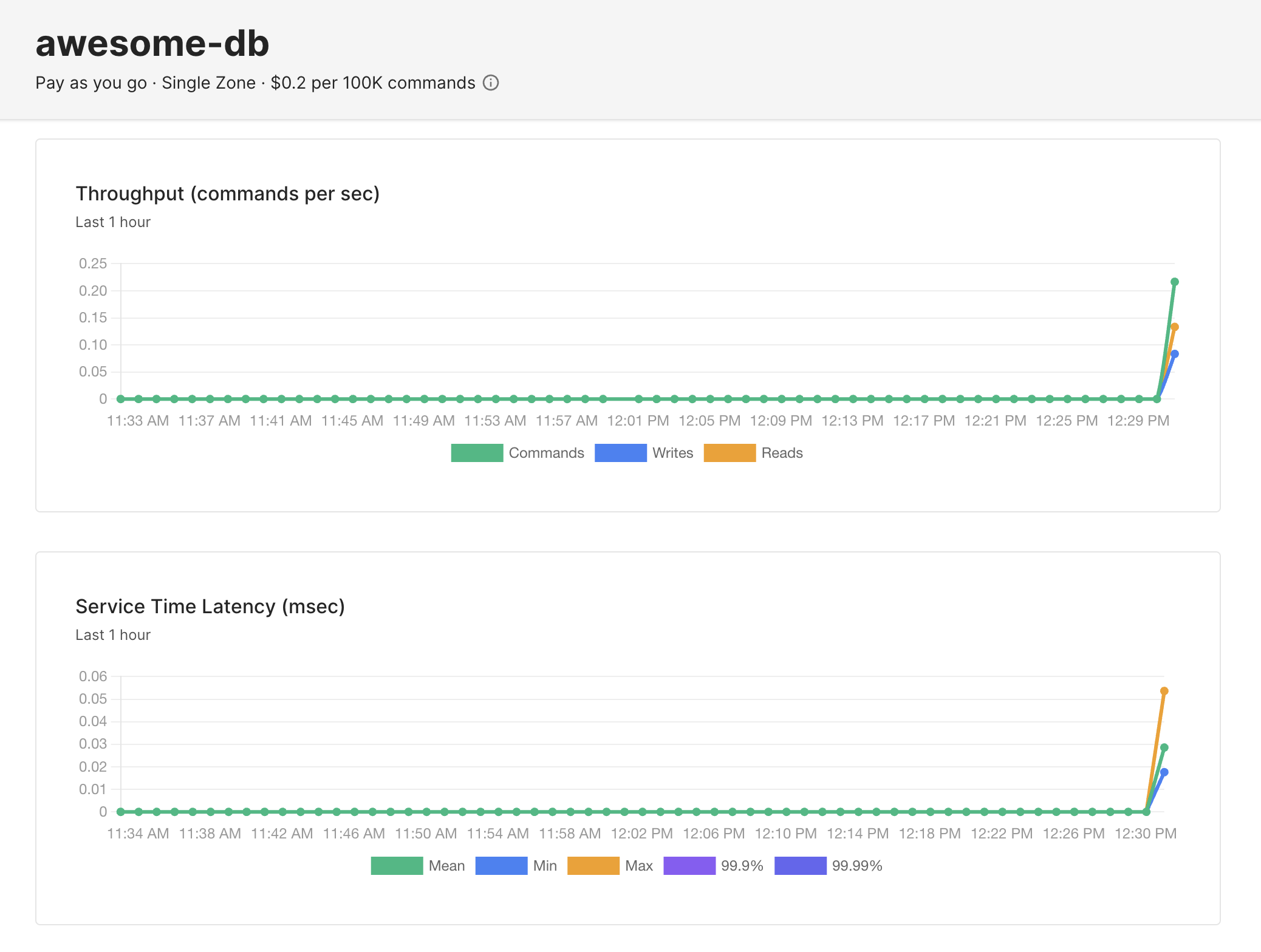
Now you will start to see some action on the charts. Please go to
Metrics and Charts section for detailed information
about metrics and charts. Note that charts are updated every 10 seconds.
Congratulations! You have created your first database with Upstash.