Create A Manual Backup
To create a manual backup of your database:- Go to the database details page and navigate to the
Backupstab
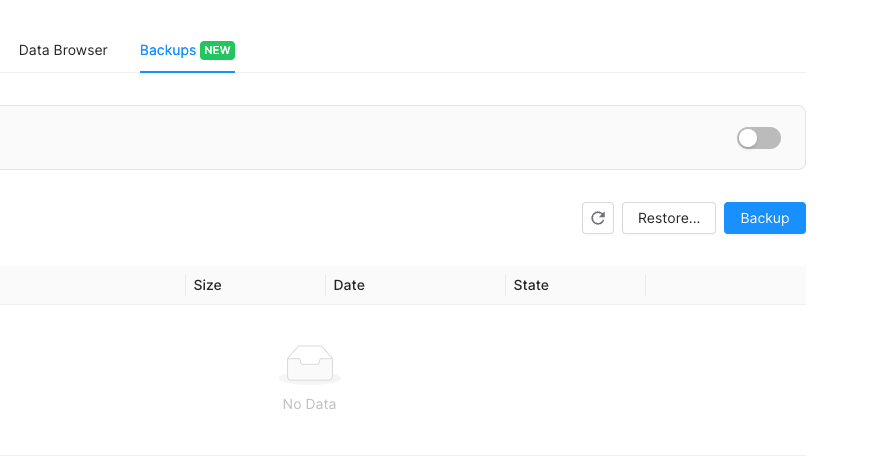
- Click on the
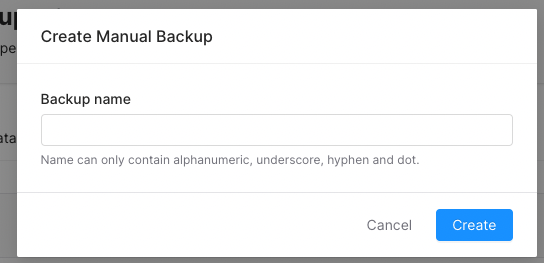
Backupbutton and fill in a name for your backup. Your backup name must be unique. - Then click on the
Createbutton.
- Create Database Backup
- Enable TLS
- Move Database to Team
- Restore Database Backup
- Update Eviction
- Update Password
- Delete Database
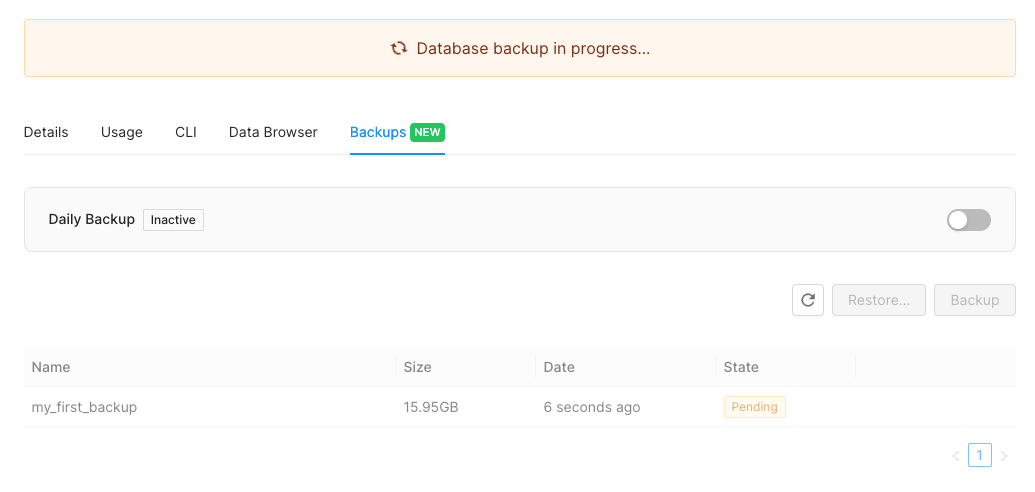
Restore A Backup
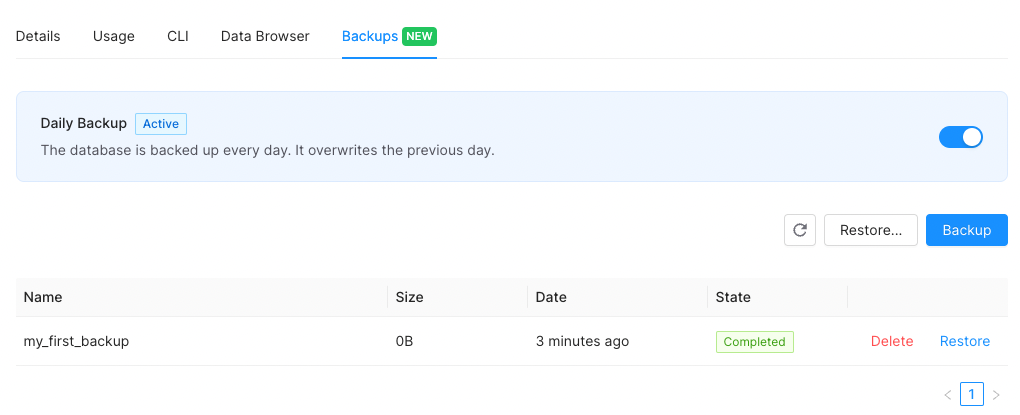
To restore a backup that was created from your current database, follow the steps below:- Go to the database details page and navigate to the
Backupstab - Click on
Restorebutton next to the backup record listed.
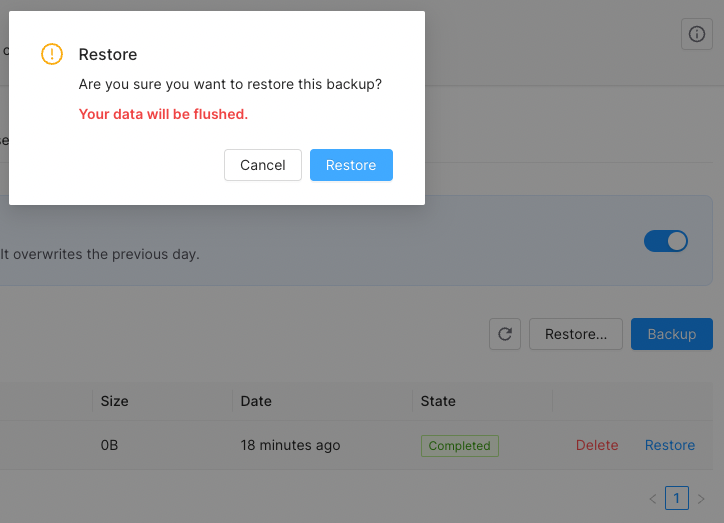
- Click on
Restore. Be aware of the fact that your target database will be flushed with this operation.
Restore A Backup From Another Database
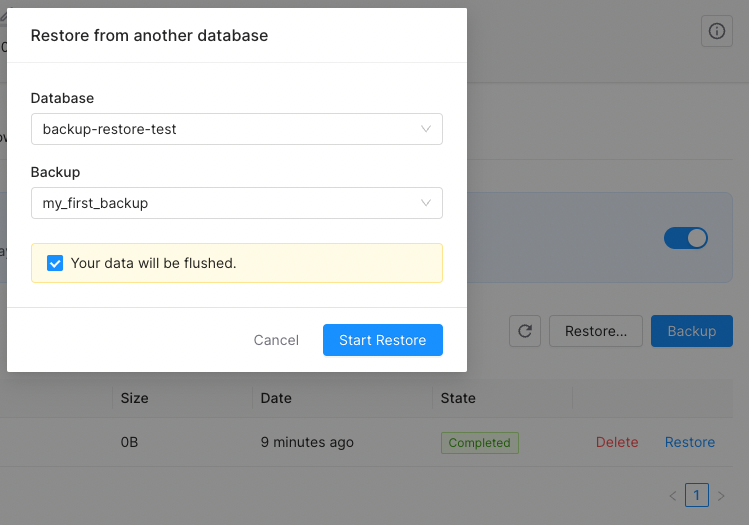
To restore a backup that was created from one of your databases other than the current one, follow the steps below:- Go to the database details page and navigate to the
Backupstab - Click on
Restore...button
- Select the source database, referring to the database from which the backup was generated.
- Select the backup record that you want to restore to the current database.
- Click on
Start Restore. Be aware of the fact that your target database will be flushed with this operation.
Enable Daily Automated Backup
To enable daily automated backup for your database:- Go to the database details page and navigate to the
Backupstab
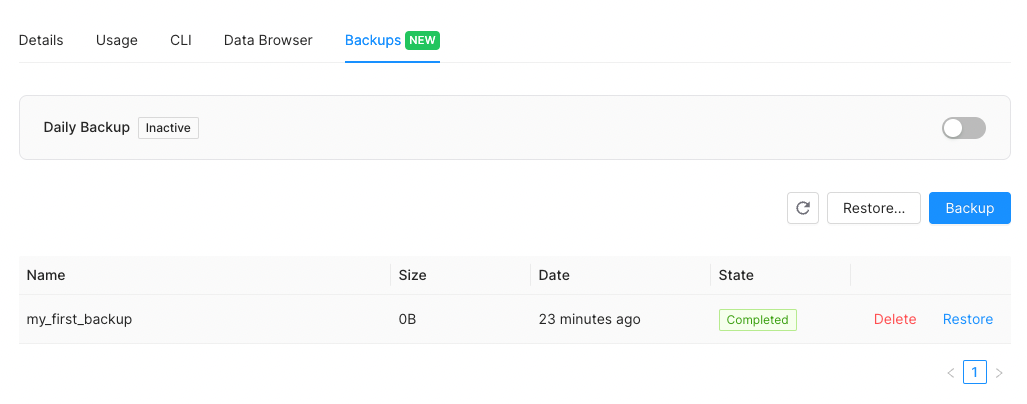
- Enable the switch next to the
Daily Backup - Click on
Enable
Disable Daily Automated Backup
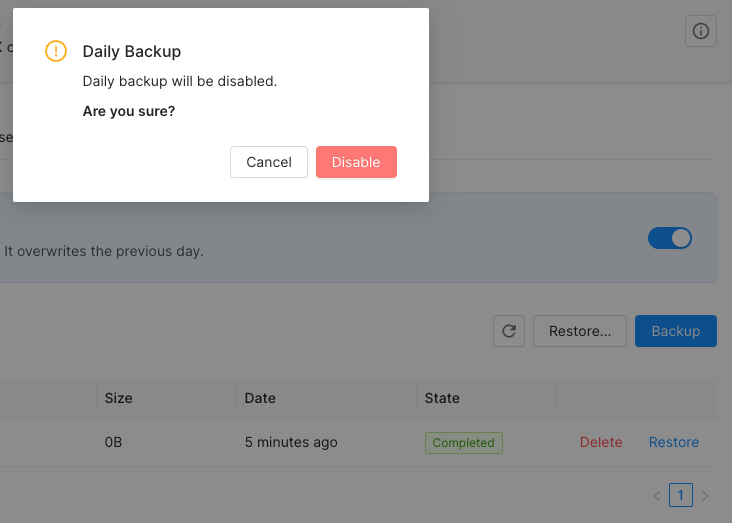
To disable the daily automated backup for your database, please follow the steps below:- Go to the database details page and navigate to the
Backupstab
- Disable the switch next to the
Daily Backup - Click on
Disable