

-
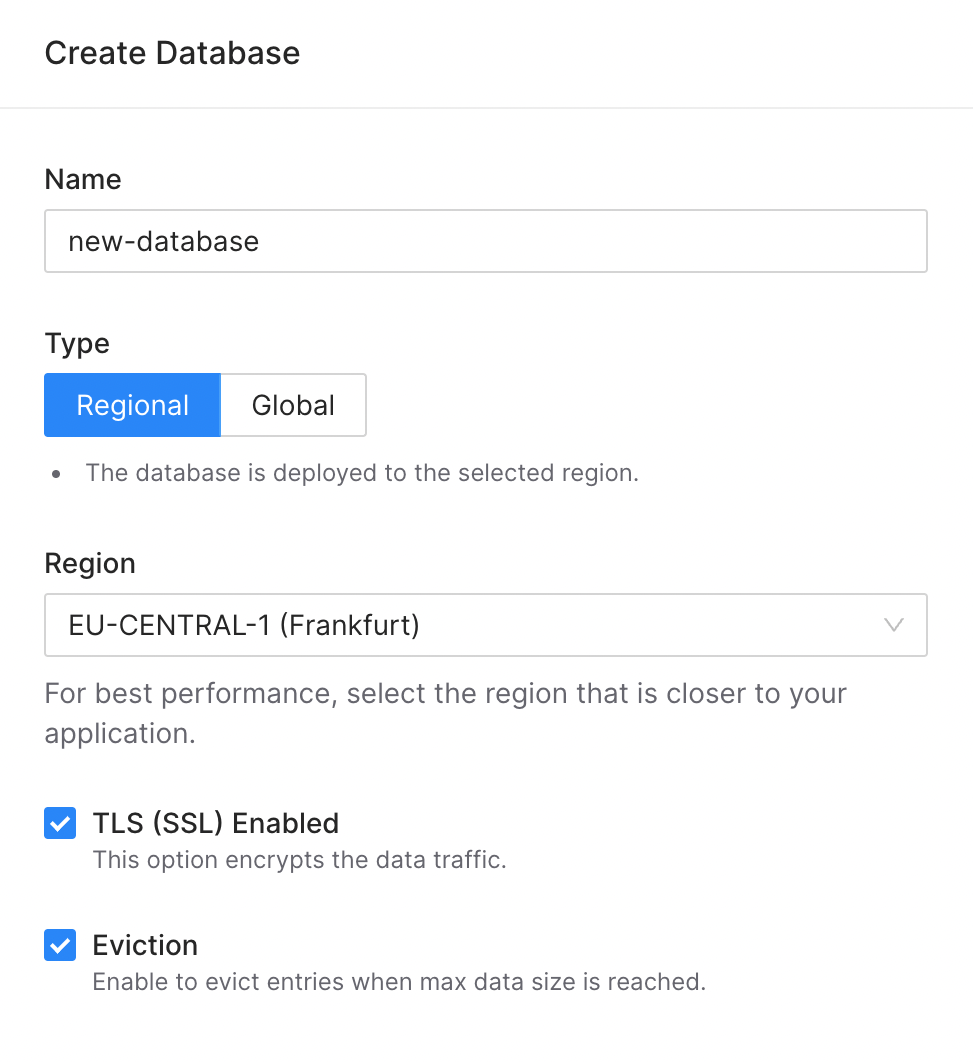
You can enable eviction by checking Eviction checkbox while creating a new
database:
-
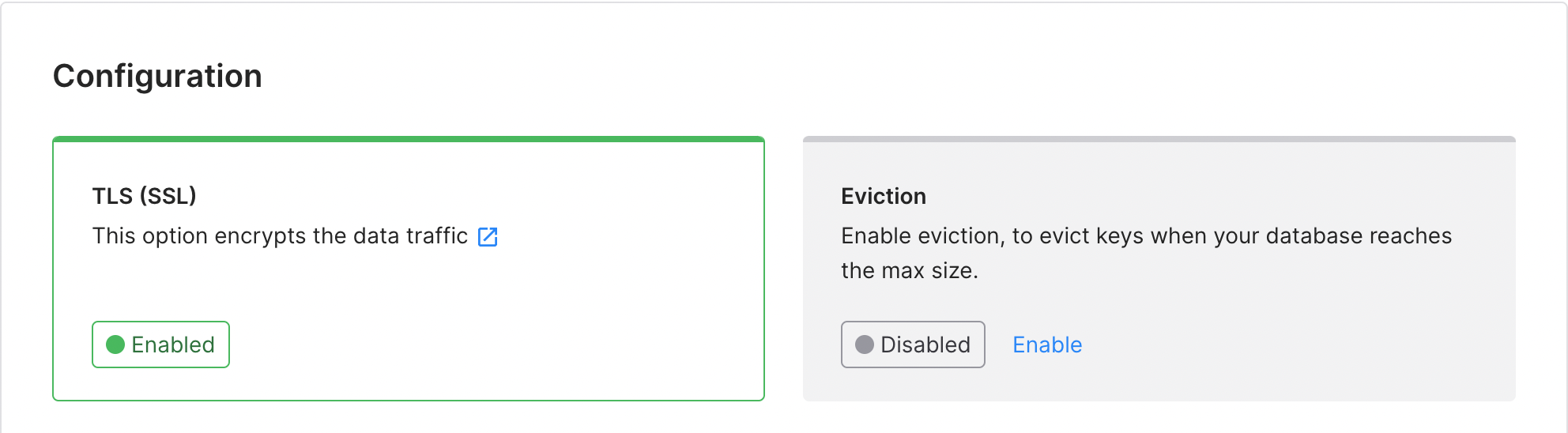
Or for an existing database by clicking Enable in Configuration/Eviction
box in the database details page:
Features
Eviction
By default, Upstash will reject write operations once the maximum data size
limit has been reached. However, if you are utilizing Upstash as a cache, you
have the option to enable eviction. Enabling eviction allows older data to be
automatically removed from the cache when the maximum size limit is reached.
This ensures that the cache remains within the allocated size and can make room
for new data to be stored. Enabling eviction is particularly useful when the
cache is intended to store frequently changing or temporary data, allowing the
cache to adapt to evolving data needs while maintaining optimal performance.
Was this page helpful?